We run businesses. We build software for the work behind them—keeping sensitive information organized, finding what matters, and giving people more control over their tools.
A spreadsheet for the information you keep private.
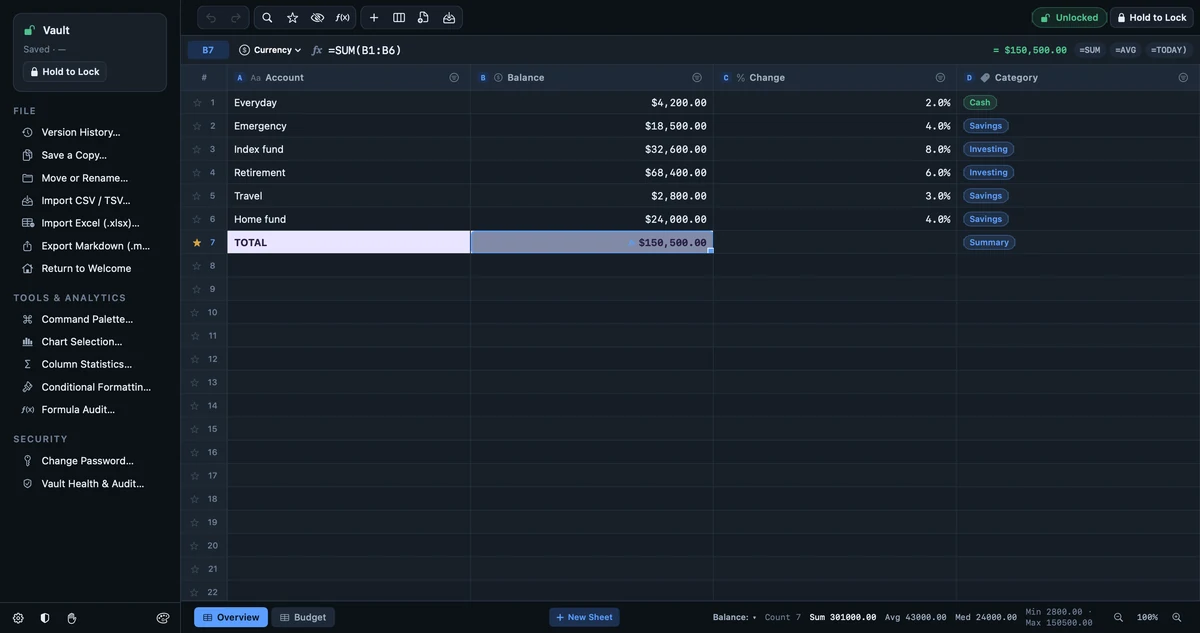
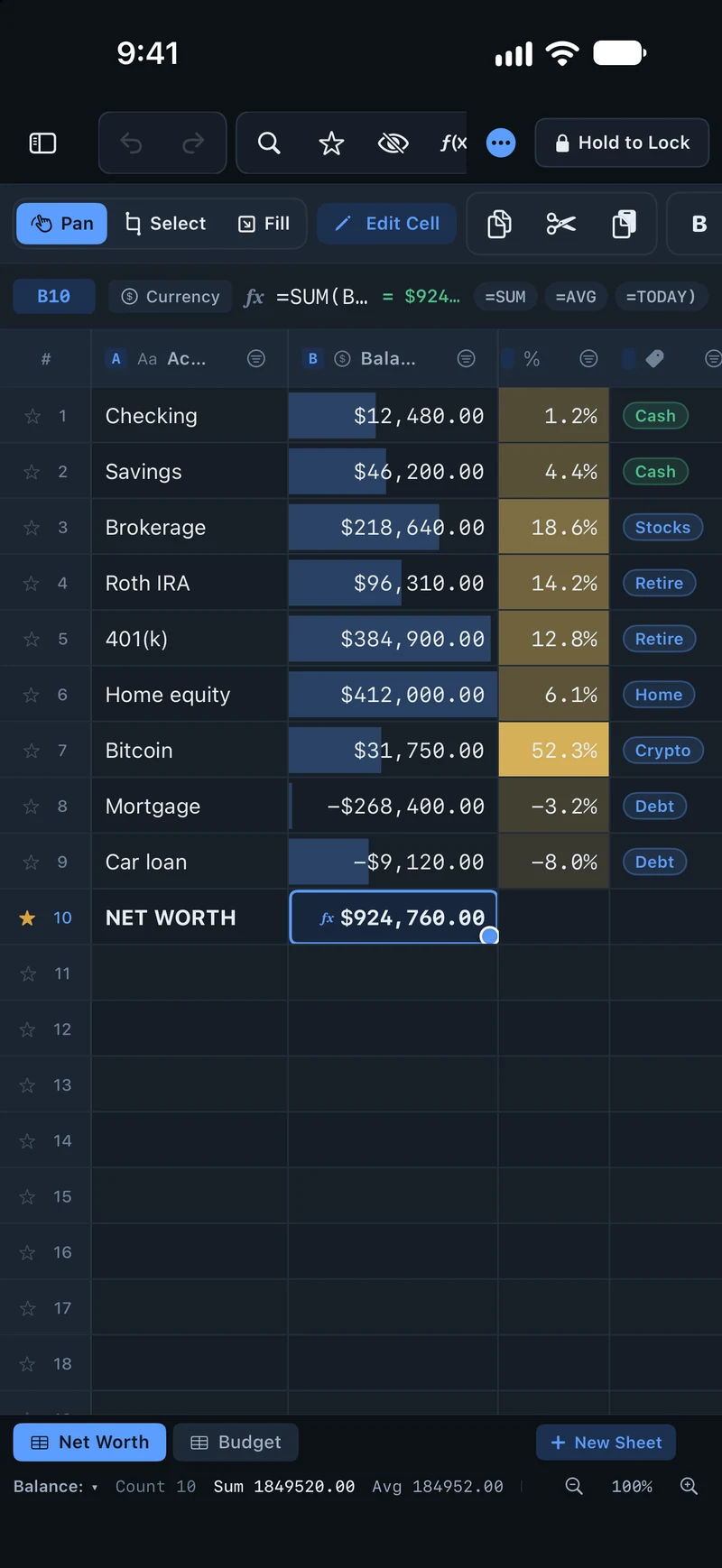
Organize budgets, account records, and other sensitive information in password-encrypted workbooks. Work with formulas and charts without requiring an online account.
A CLOSER LOOK AT VAULTSHEET
Your work, in focus. Your files, encrypted.
A familiar spreadsheet. A more private place to keep it.
VaultSheet · Mac
▣ THE FILE ON DISKPrivate by design.
56 4C 54 53 48 32 07 00
DA E1 7C 7B 4E 4C EA CF
48 2A 3E FF BE 65 02 27
DD D8 C6 FD CC B2 6B 3D
9E 1C FA E8 83 4B 19 04
1F 66 A9 D0 5C 8E 22 47
Password-encrypted workbooks
Your spreadsheet. Your control.
Actual app screens with example data. Encrypted-file illustration adapted from the VaultSheet film.
Keep the workbook together
Use multiple sheets, formulas, and charts to turn rows of information into something you can work with.
Work offline
Open and edit your workbooks without an internet connection or a required cloud account.
Protect sensitive entries
Password-encrypted files and masked secret columns help keep private information out of plain sight.
Mac
DiskWarden
Product preview
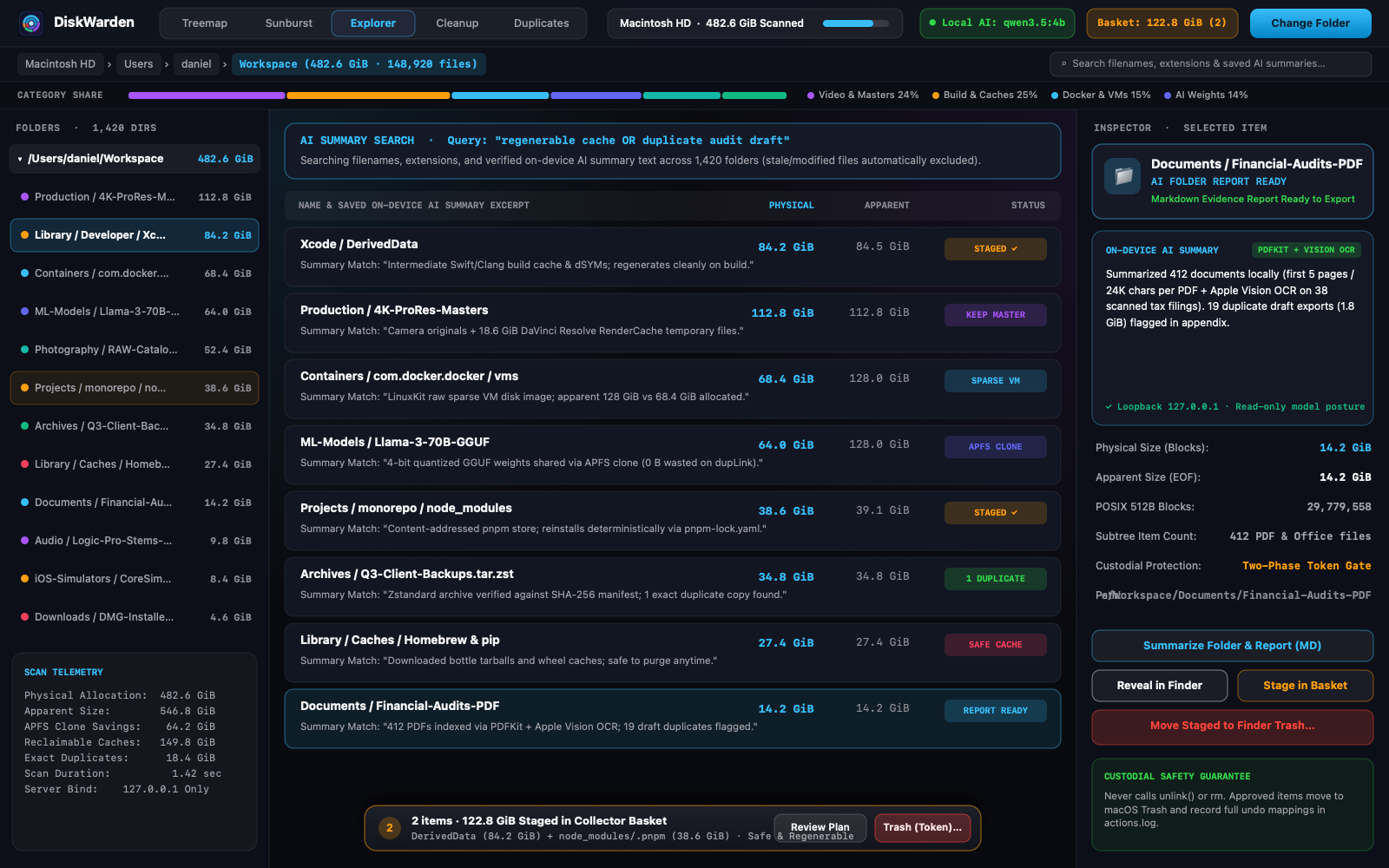
Explore your storage in 3D. Organize with local AI.
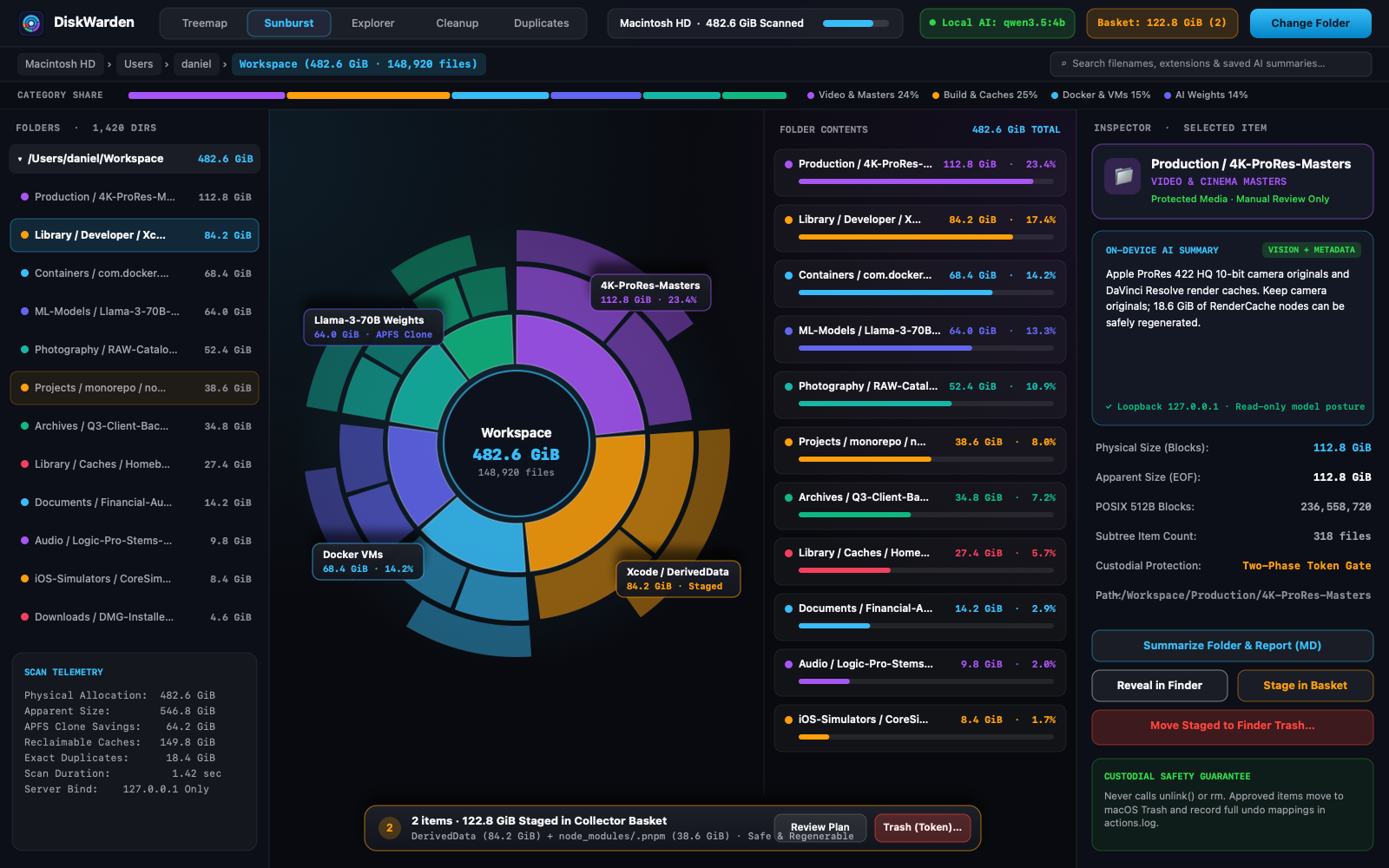
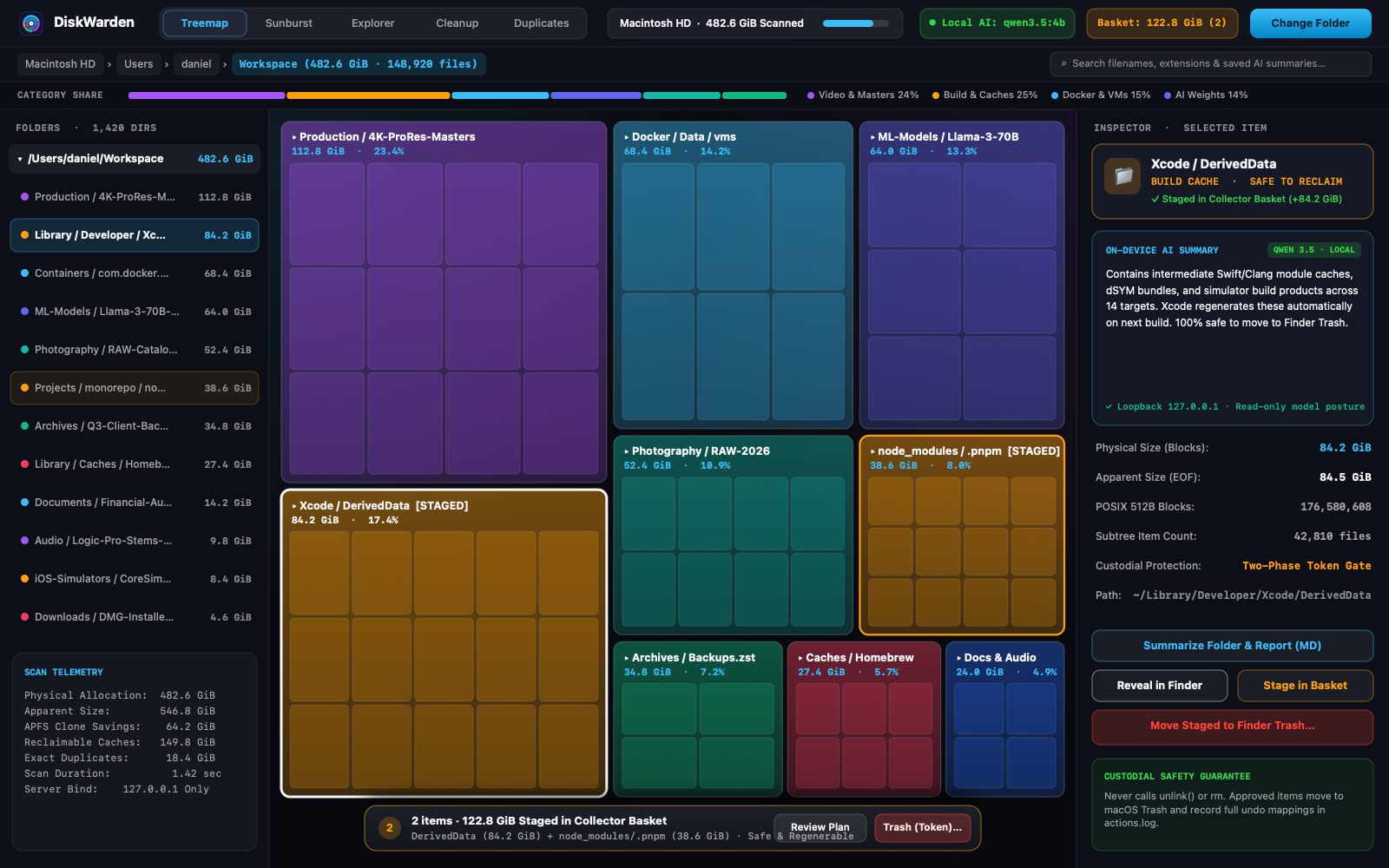
Navigate interactive 3D treemaps and sunbursts. Use AI on your Mac to explain files, search their saved summaries, and turn whole folders into reports that help you decide what to keep and how to organize it.
Interactive 3D viewsLocal AI organization toolsYour approval for every change
A CLOSER LOOK AT DISKWARDEN
A new perspective. A more thoughtful cleanup.
Explore in 3D. Make sense of files with local AI. Keep the final say over what goes.
Orbit, pan, and zoom through treemaps and sunbursts. Follow a folder from the big picture down to the files inside.
3D views · Treemaps · Sunbursts
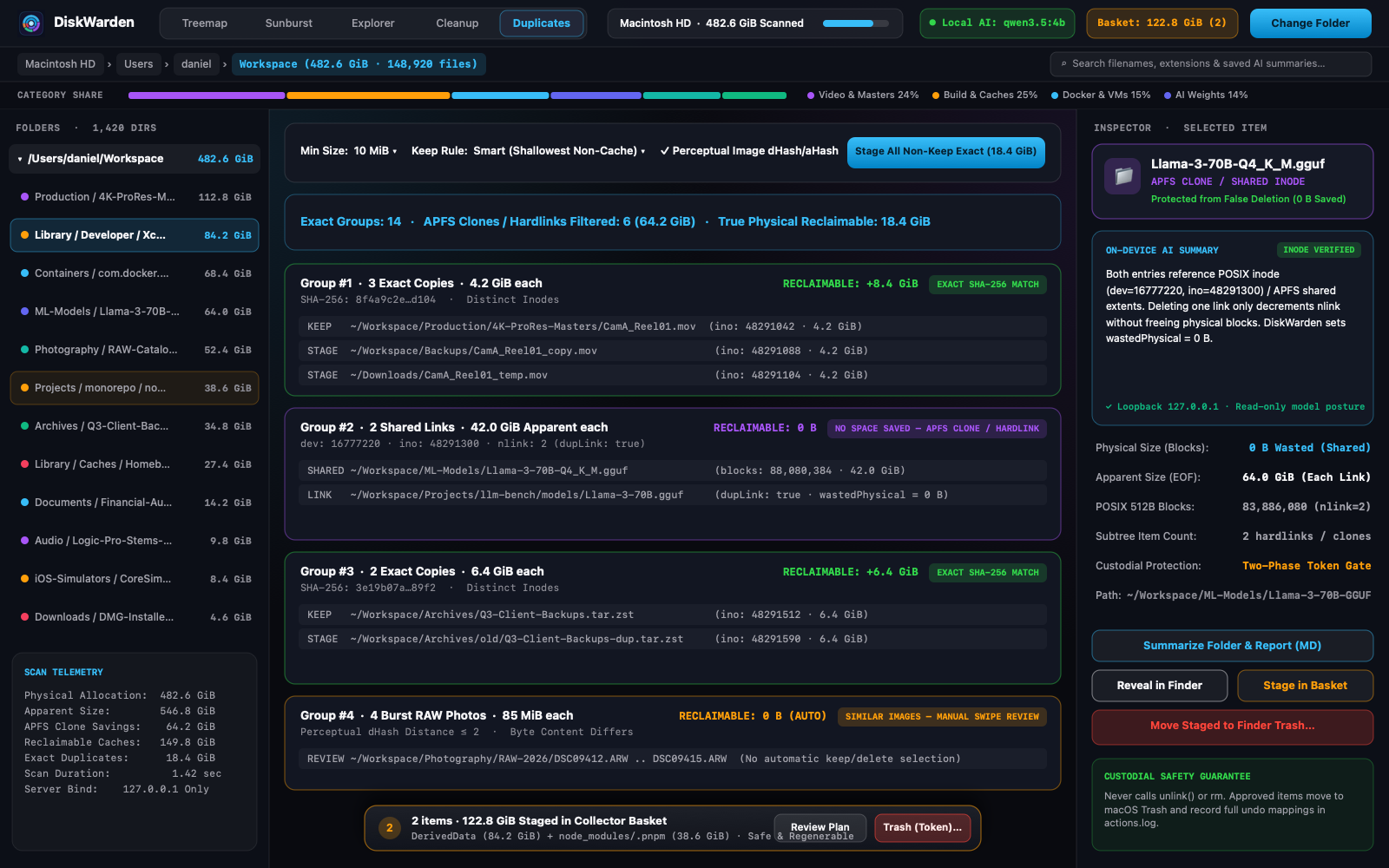
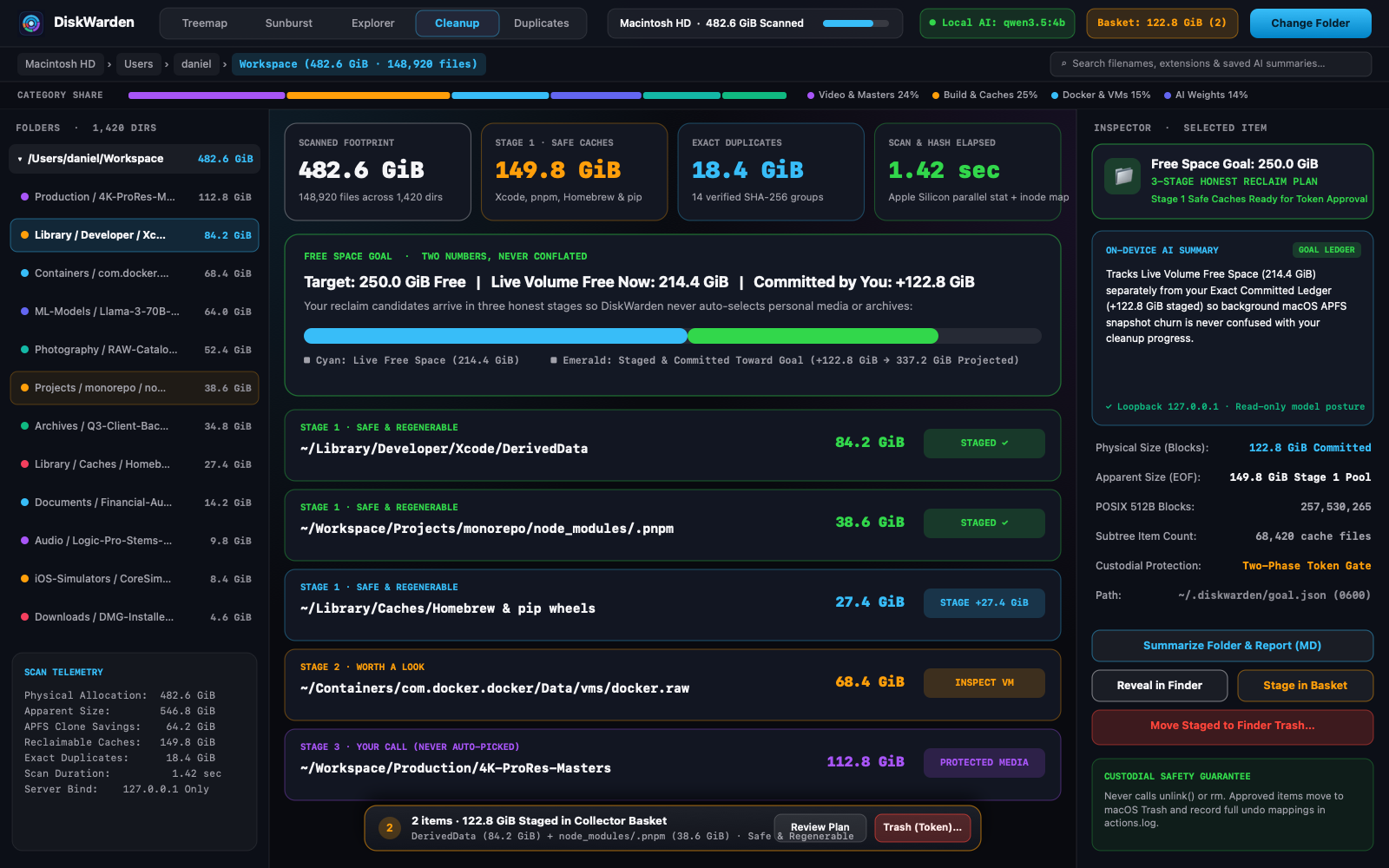
Promotional captures with illustrative workstation data. Every view is shown uncropped; tap a capture to inspect it full-size.
See your files in another dimension
Orbit, pan, and zoom through 3D treemaps and sunbursts. Compare folders by size or item count, then switch to a flat map or Explorer when you need the details.
Find meaning beyond filenames
Generate plain-English file summaries with local AI. Search those saved summaries alongside names and extensions to rediscover documents you would otherwise miss.
Turn a folder into a plan
Get a folder report with document findings, storage recommendations, and per-file evidence. Export it as Markdown and use it to guide your next cleanup.
AI that runs on your Mac.
Connect Ollama, LM Studio, or oMLX to use a local model. With a local connection, AI analysis stays on your machine.
You make the changes.
The model has no move or delete permissions. Review duplicates and approve file actions yourself, with an audit log and undo until Trash is emptied.
ABOUT OAK & BIT
Built by operators. For the people doing the work.
Oak & Bit is built by business operators who understand the daily work—and the frustrations—of the people using the software. We know what it is like to keep a business moving while working around tools that make simple tasks harder than they should be.
That experience shapes what we build: practical software that respects your time, keeps you in control of your data, and helps you get the job done. VaultSheet and DiskWarden bring that approach to private spreadsheets and organizing files with local AI.